Monitor your entire network, find failing routers, and secure your Wi-Fi in one lightweight Windows app. No enterprise software required.
Everything you need to monitor, diagnose, and secure your network, packed into one stunning UI.
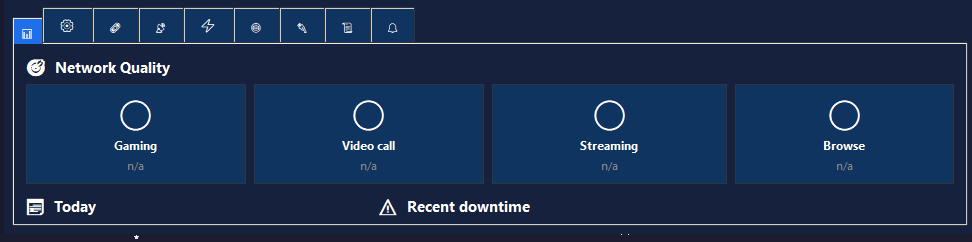
Real-time bandwidth graphs, latency scores, and network quality ratings for Gaming, Video Calls, and 4K Streaming.
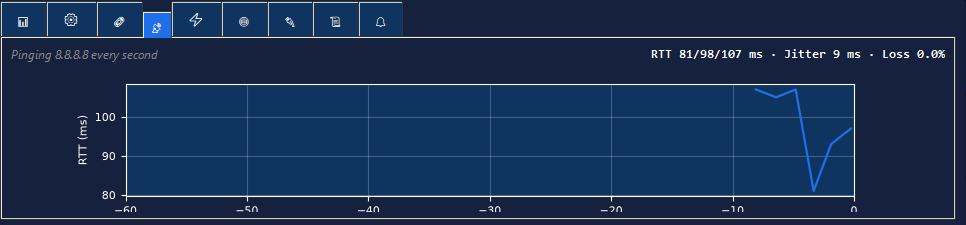
PingPlotter-style traceroute that updates every 5 seconds. Find exactly which router is causing your lag.
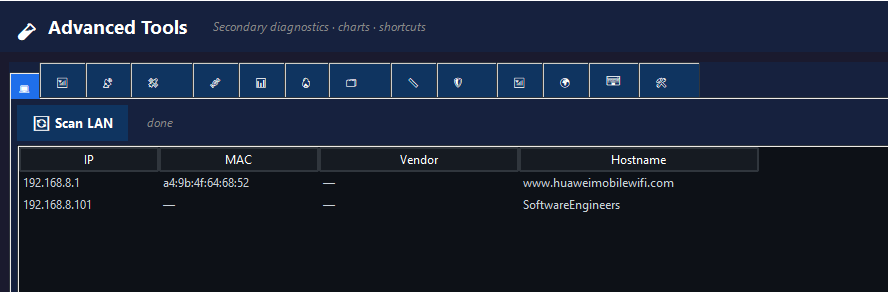
Discover every device on your network. See their IP, MAC address, and manufacturer (Apple, Samsung, etc.).
Right-click any active connection to instantly view its SSL certificate, issuer, cipher suite, and expiration date.
6-layer VPN detection, DNS leak testing, and TCP retransmission monitoring to catch failing hardware.
Built-in REST API for Home Assistant/Grafana integration, plus Webhooks to Discord or Slack.
Stop guessing if your internet is fast enough. Our heuristic algorithm analyzes your latency, jitter, packet loss, and bandwidth to give you instant, color-coded ratings.
Standard traceroute only runs once. Our Continuous Traceroute pings every single hop every 5 seconds, showing you the exact router where your connection is dying.
Run a parallel ping sweep of your entire /24 subnet. We cross-reference MAC addresses with a built-in OUI database to tell you exactly what devices are connected.
Network Toolkit replaces 25+ command-line tools and expensive enterprise software.
See exactly how Network Toolkit diagnoses real-world network issues step-by-step.
Get up and running in less than 2 minutes.
Purchase a license and instantly download your standalone .exe file. No Python installation
needed.
Open the app and paste the unique license key emailed to you after purchase to unlock all premium features.
Start monitoring your network live, find bottlenecks, and secure your connection with 25+ professional tools.
No subscriptions. No hidden fees. Pay once and use it forever.
Perfect for professionals, gamers, and IT admins.
.exe AppRebrand it, integrate it, or resell it as your own.
NetworkToolkit.spec (Build File)If the software doesn't work as described on your Windows PC, we will refund your payment in full. Read our Refund Policy.
We accept Credit Cards globally with instant delivery, and Pakistan's local wallets via WhatsApp.
Instant global checkout & automatic delivery.
Instant Download
Pay via WhatsApp

Pay via WhatsApp
Pay via WhatsApp
Pay via WhatsApp
100% Secure & Verified. Card payments are processed securely by Lemon Squeezy. Local payments are handled manually via WhatsApp with direct developer support.
Network Toolkit.exe and your
unique License Key.
.exe file and License Key directly on
WhatsApp within minutes.
Network Toolkit.exe file. You can copy
it to any Windows 10 or 11 PC, and it will run instantly without requiring any terminal commands or Python
installation.
The mind behind Network Toolkit — built with passion, precision, and thousands of lines of code.

Full-Stack Web Developer & Software Engineer
Software engineer from Pakistan specializing in network engineering, Python automation, and lightweight desktop applications. Creator of Network Toolkit v8.4 — a 6,500+ line enterprise-grade diagnostic suite built with a multi-threaded Python backend and a modern dark UI.